


Are you looking for a truly free Minecraft server, without credit card, hidden fees or complicated setup? With MineStrator, you can host your first free Minecraft server online in just a few minutes and start playing with your friends.
This step-by-step guide shows you how to get your own free Minecraft server on MineStrator in under 5 minutes. You will see how to register, claim your free offer, create your game server and start it directly from the panel. Whether you are a beginner or an experienced admin, you will be ready to host your Minecraft world in no time.
Get your free Minecraft server offer
The first step is to access the page where you can claim your free Minecraft server. You can do this from the MineStrator homepage or directly from the dedicated free offer page.
From the homepage, go to https://minestrator.com/en and scroll down to the offers section. There, you will find the free server option among the different MyBox plans.
If you prefer, you can also go directly to the free server page by using the link available at the very bottom of the site under the section named Lifetime Free Minecraft Server. This takes you straight to the page where you can claim your free offer.

Once you are on the free server offer page, click the Get for free button. This will start the process to create your free MyBox and access your future game server.
Create or log in to your MineStrator account
To activate your free Minecraft server, you need a MineStrator account. This allows you to manage your MyBox, your servers and your settings securely from one place.
On the order page for the free offer, choose whether you want to Log in with an existing account or Sign Up to create a new one. Creating an account only takes a moment and does not require any payment method.
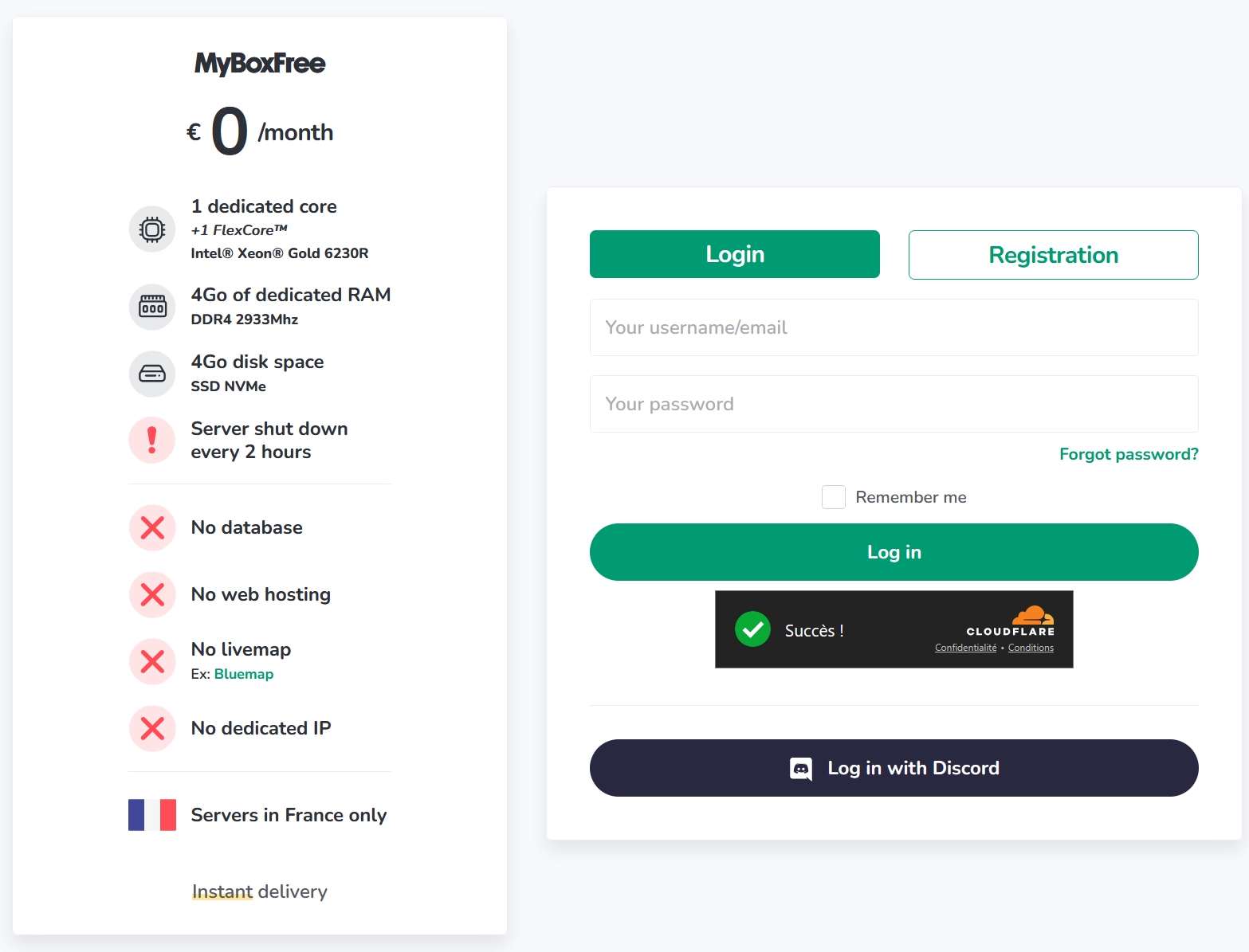
💡 Tip: Use a valid email address so you can easily recover your account and receive important information about your servers.
Accept the free server terms
Before MineStrator can create your free Minecraft server, you must accept the terms of use. This ensures you understand how the service works and what is allowed on free servers.
On the order page, check the box I accept the general terms and conditions of use of MineStrator. Then, check the box I accept the terms and conditions of use for free servers which are specific to the free offer.
Once both boxes are checked, click the Retrieve my free server button at the bottom of the page. MineStrator will then create your free MyBox, which is the base that will host your future Minecraft or other game server.
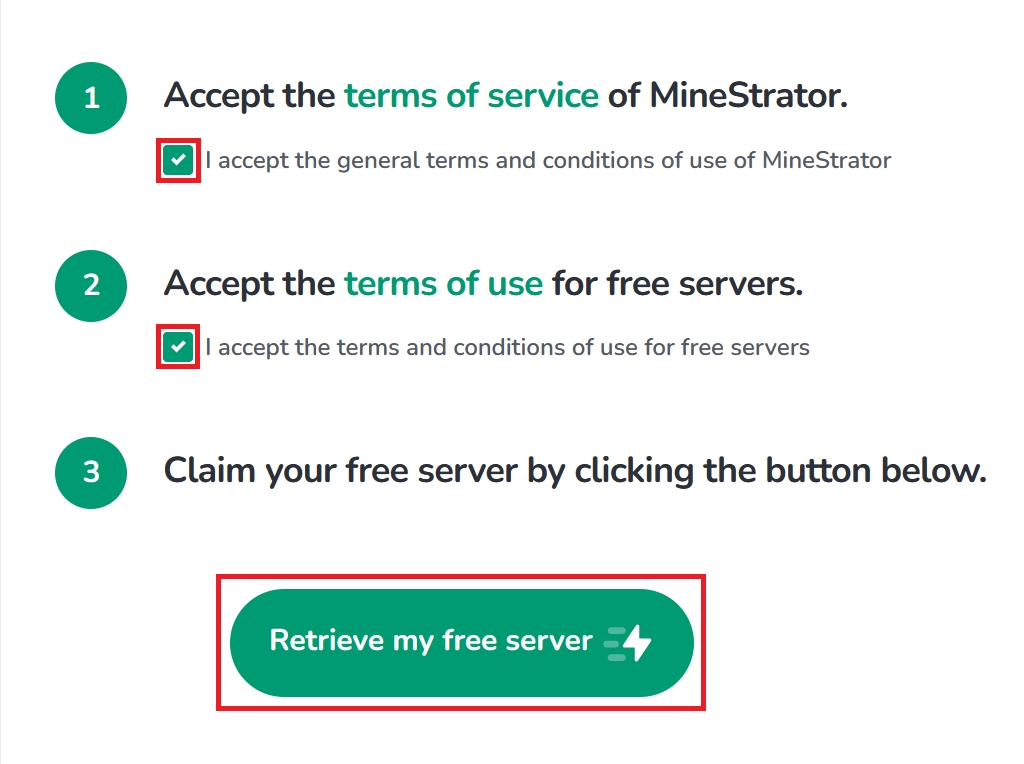
🚨 Important: Make sure you read the free server conditions so you know the limits and rules specific to this offer.
Create your game server on MyBoxFree
Now that your free MyBox is created, it is time to set up the actual Minecraft server (or another game) that you will use. Everything happens from the MineStrator panel.
Go to your panel by accessing the server management page from your account profile, then click on Manage my servers. You will see your MyBoxFree listed there.
On the MyBoxFree, click on Add a pod. A pod is the game instance that will host your Minecraft world or another supported game. Follow the steps in the wizard to choose the game you want to install: Minecraft, Factorio, BeamNG and many others are available.

📝 Note: You can use your free MyBox to test different games and configurations before upgrading to a paid MyBox if you need more power.
We also provide test MyBox 12 and MyBoxPerf 12 with all features unlocked but unlike MyBoxFree, these only last for 12. If you'd like to test another type of MyBox, feel free to contact us.
Install the version and start the server
Once your pod is created, you can configure the exact version of your free Minecraft server. This is where you choose between Java, Bedrock or modded versions depending on how you want to play.
In the panel, open your server and go to the Versions tab if you want to change or install a specific version. You can choose Minecraft Java, Bedrock, Spigot, Paper or even modded versions depending on your needs.
After the version is installed, simply click on Start to launch the server. The console will display the startup logs, and after a short moment your server will be online and ready to accept connections.
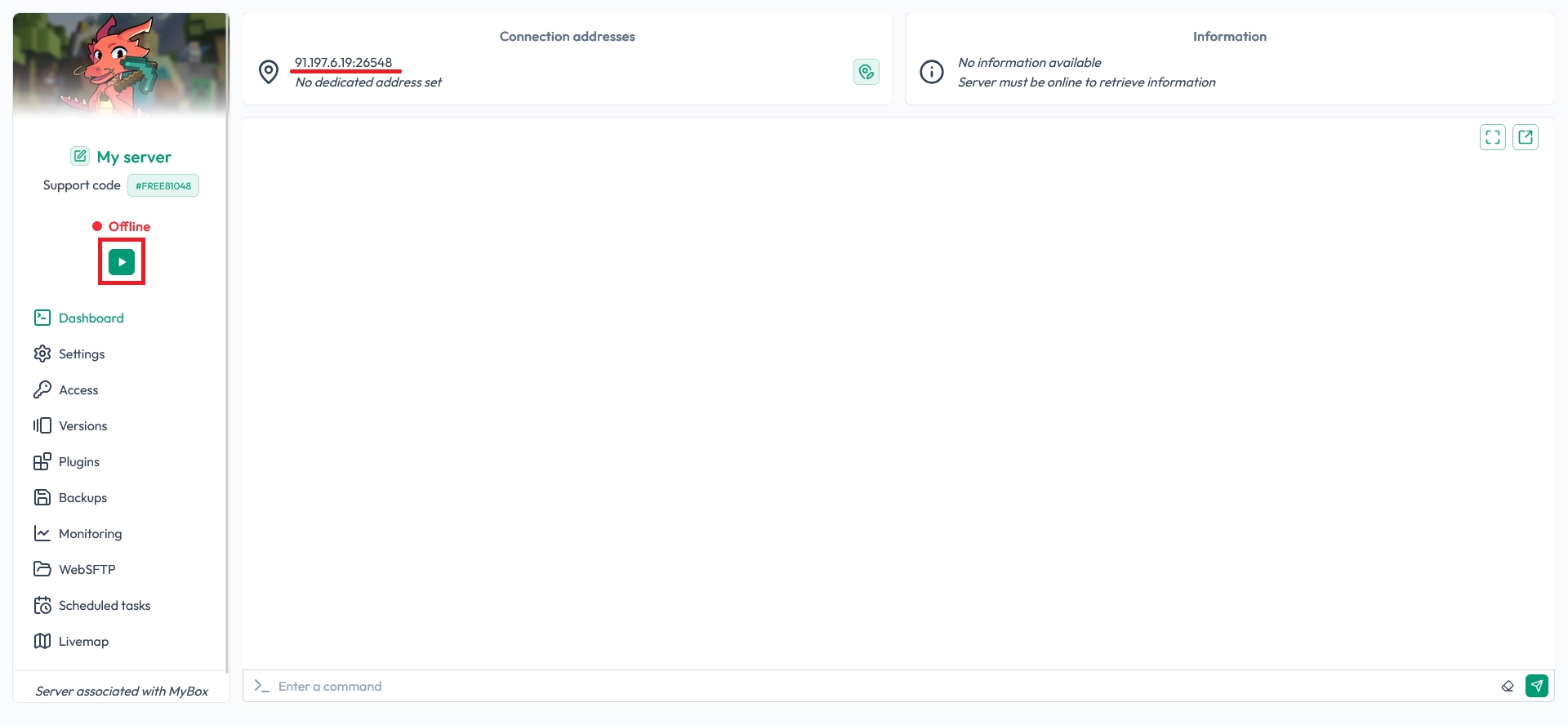
💬 Good to know: You can restart, stop or reinstall your server at any time from the panel if you want to test new versions or configurations.
Connect to your free Minecraft server
Your free Minecraft server is now running. To join it, open Minecraft, go to Multiplayer and add a new server using the IP address displayed in your MineStrator panel, just above the Start button.
Paste this IP in your Minecraft client, save, then connect. You can now invite your friends, test your plugins or simply enjoy a multiplayer adventure on a server hosted for free by MineStrator.
⚠️ Warning: Never share your server IP publicly if you want to keep your world private and avoid unwanted players. Enabling the whitelist is also a good idea.
FAQ about free Minecraft servers on MineStrator
Do I need a credit card for the free Minecraft server?
No, you do not need any payment method to get your free Minecraft server. The MineStrator free offer lets you create and host a server without entering credit card details or committing to a subscription.
Can I change the version of my free Minecraft server?
Yes, you can change the version from the Versions tab in the panel. You can switch between Minecraft Java, Bedrock, Spigot, Paper or modded versions, then restart the server to apply the change.
Can I upgrade from a free server to a paid plan later?
If you need more performance or additional slots, you can later choose a paid MyBox offer. This gives you more resources for your Minecraft server while keeping the same easy-to-use panel.
Conclusion
You now know how to create and start a free Minecraft server on MineStrator in just a few minutes. From claiming the free offer to launching your first world, everything is done through a simple and intuitive panel.
If you want more power or to host larger communities, take a look at our MyBox offers or try a free 12-hour Minecraft trial to see what MineStrator can do for your next server project.

 17 December 2025
  Enjoy 10% off your first month of server with MineStrator using the code ACTU10!