




Greetings !
Do you feel like starting a new adventure and creating your own Rust server ? You're in luck, Minestrator can help you do so with this guide so let's get started !
Visit Minestrator's home page.
Scroll down to the plan section and choose the one that suits your needs.
- Please note a Rust server requires a lot of resources :
- Required configuration : 2 dedicated cores, 12 GB of RAM and 15 GB disk space,
- Recommended configuration : 3 dedicated cores, 14GB of RAM and 15 GB of disk space.
Once you've selected an offer, log in to your Minestrator account or create one if you don't have one yet.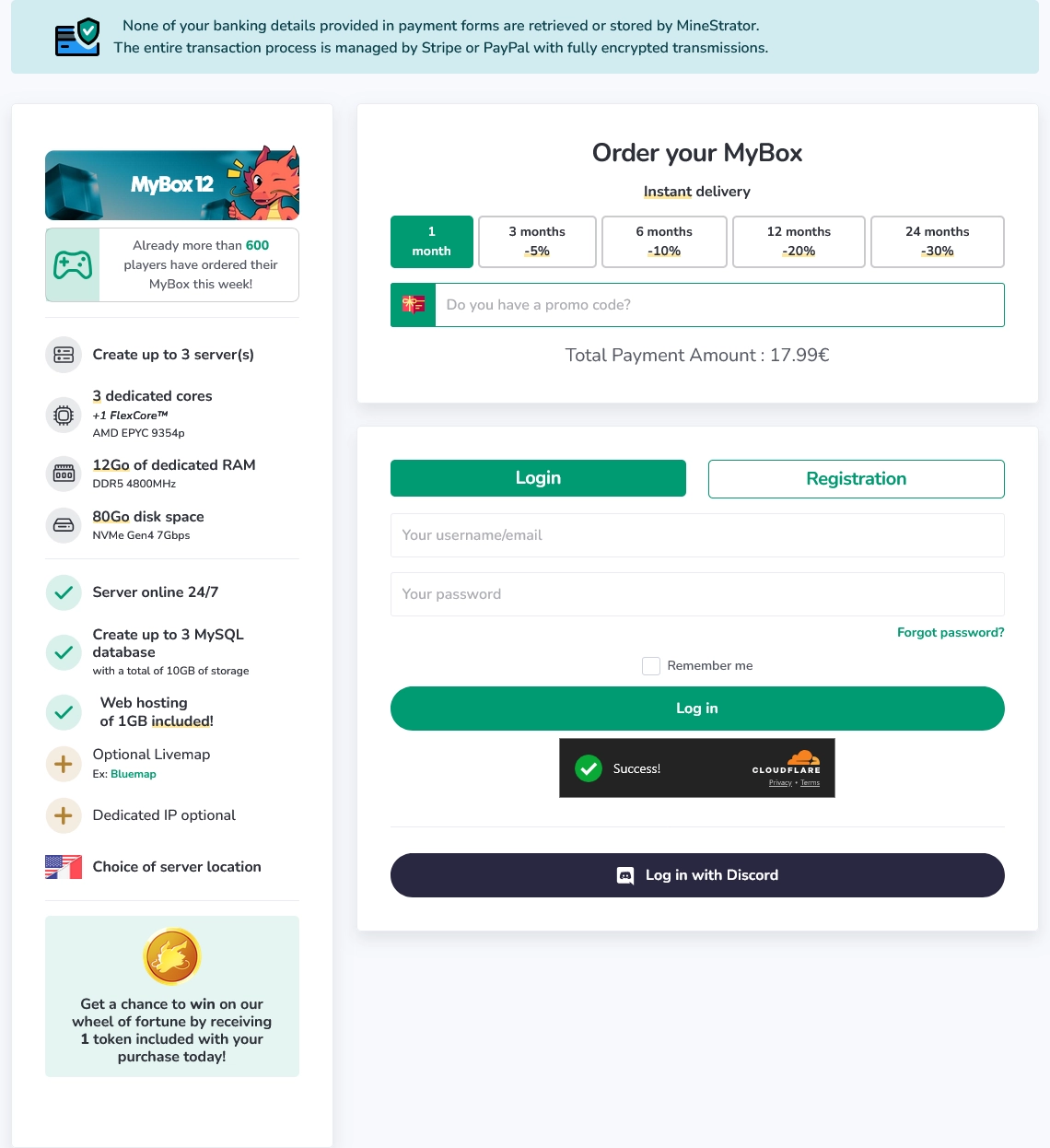
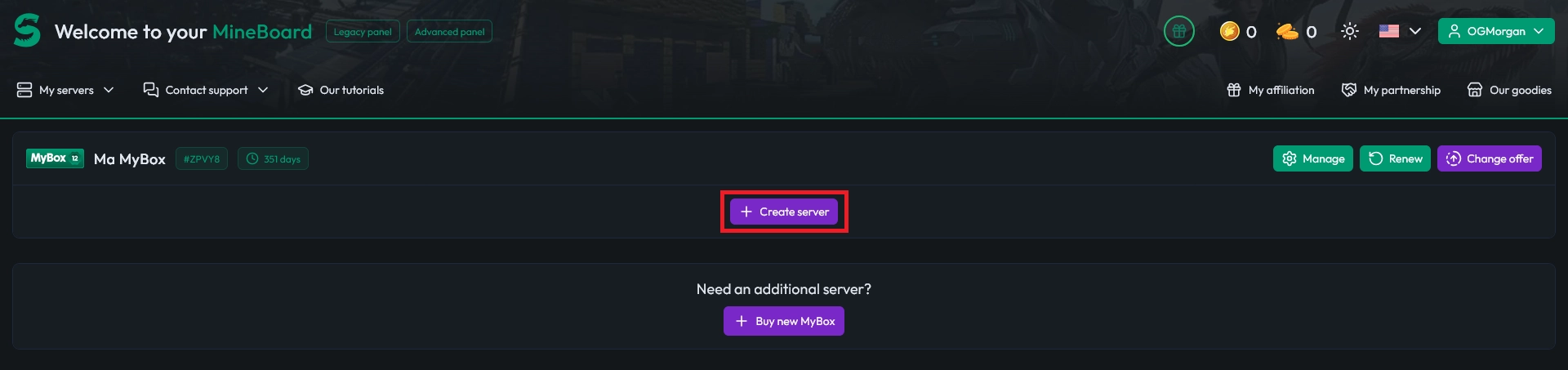
Once the purchase complete, go to your Dashboard then click Create server.
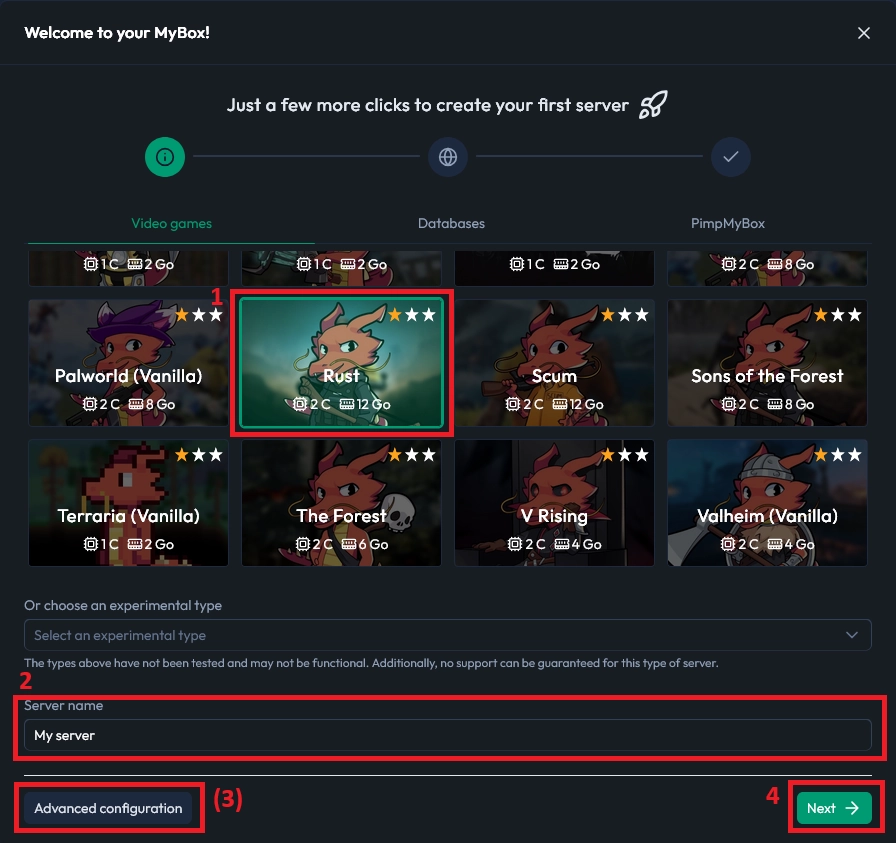
Select Rust (1) et name your server (2). You can click Advanced configuration (3) if you want to customise the allocation. Then click Next (4).
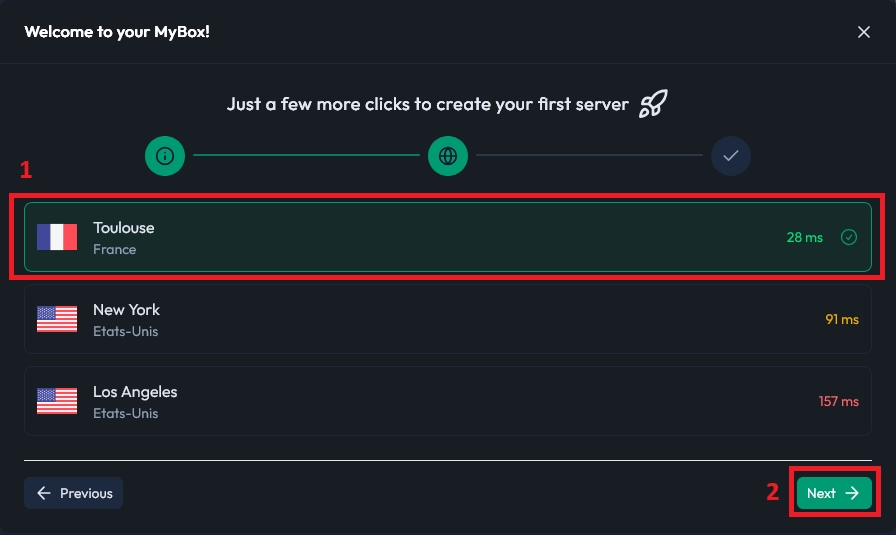
Choose the server location (1), here I'm choosing Toulouse because it has the lowest ping from my current location then click Next (2).
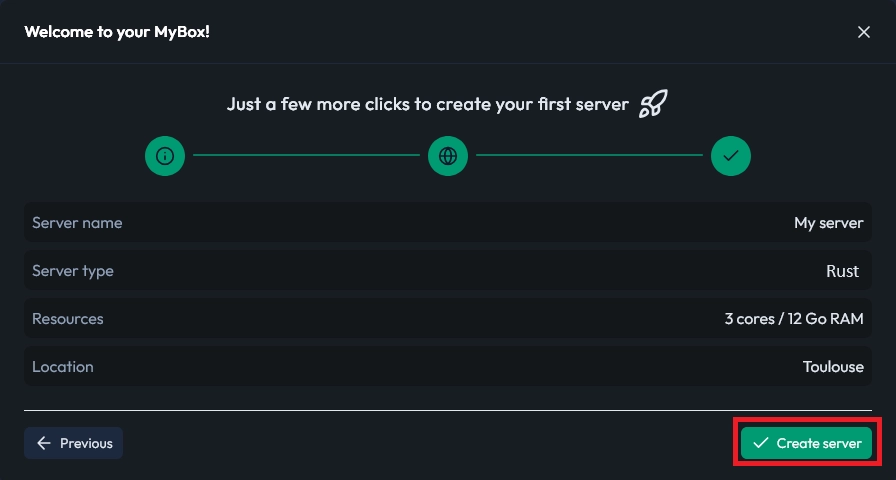
Check the summary and Create the server if everything is set correctly.
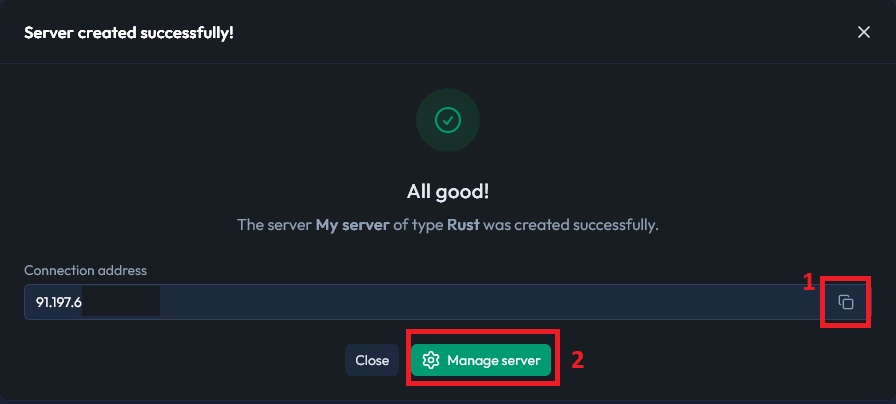
You can now copy the IP (1) and access the server's dashboard by clicking Manage server (2).
Congratulations, your Rust server is ready ! But why are you still here ? Shouldn't you be gathering scrap by now ?
If this guide helped you, feel free to click the 🤍 button at the top ! And if you need anything, we're happy to help you on our Discord server.

 26 September 2025
  Enjoy 10% off your first month of server with MineStrator using the code ACTU10!