





You just launched your Hytale server and you want to manage everything directly in-game, without living in the console? Good news: you simply need to add yourself as an operator to unlock admin commands and run your server more comfortably.
In this 2026 tutorial, you’ll learn how to op yourself in a few seconds, then how to confirm it worked. It’s perfect if you’re solo-admining, or if you’re setting up the server before inviting your first players.
Add an operator on your Hytale server
To add an operator, Hytale works best when the player has already joined the server at least once. If you’re not connected (or never joined), you may need to use the player’s UUID instead of their username.
📝 Note: If your username doesn’t work, reconnect to the server or use the account’s UUID.
Step 1: Join the server in-game
First, connect to your Hytale server with the account you want to promote. This prevents most errors because the server can instantly recognize your player profile and store the right information.
Once you’re in, you can keep your character online while you run the command from the server console.
Step 2: Run the op command in console
Open your server console, then run the command below by replacing the name with your in-game username:
Type op add yourUsername. For example: op add rsquatre.
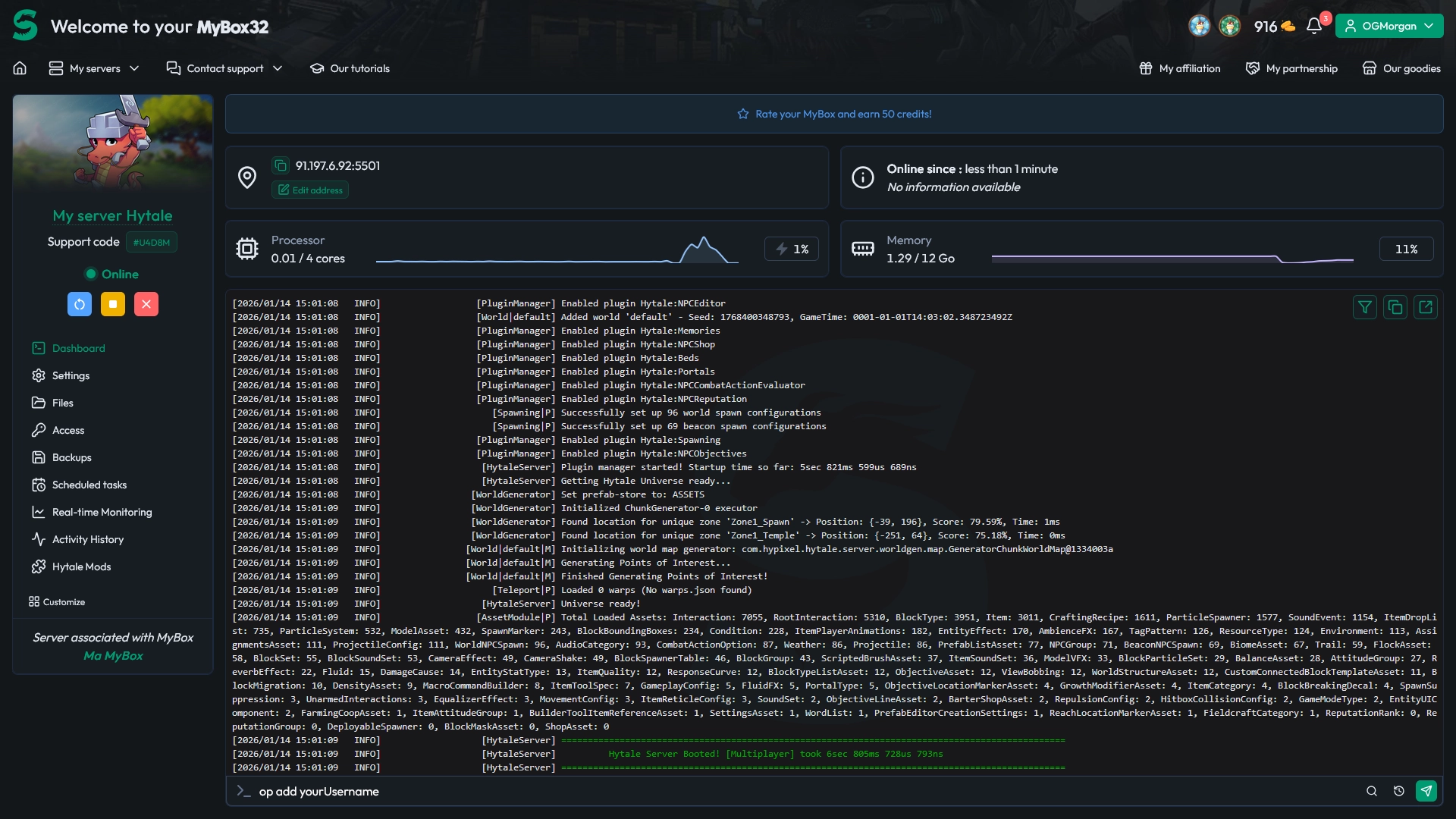
If everything is correct, the server will confirm that you’ve been added to the operator list.
You should see a confirmation message like this:

⚠️ Warning: Only give operator status to people you fully trust, because it grants access to sensitive admin commands.
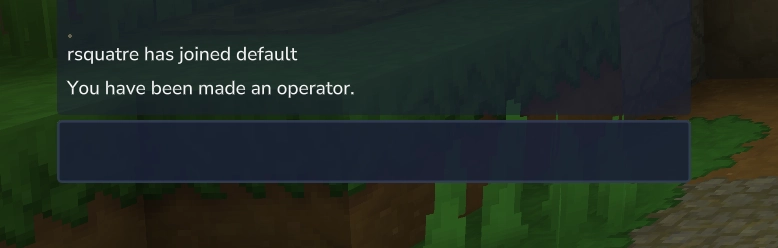
Step 3: Confirm you’re operator
To make sure it’s active, check directly in-game. If you have the right permissions, admin commands should be available and executable without going back to the console.
You can also visually confirm it in-game, in the chat:
Questions frequent
Why does op add fail with my username?
Most of the time, it’s because the server doesn’t “see” that player. Join the server with the account, then retry. If it still fails, use the player’s UUID instead of the username.
Can I remove operator rights later?
Yes. If you’re giving temporary access to a staff member, remove it once you’re done. Use the opposite command (commonly op remove yourUsername) or manage operators from your server tools if available.
Do I need to restart the server after adding an operator?
No restart is usually required. The change should apply immediately, and you can verify it right away by testing an admin command in-game.
Conclusion
That’s it: you’re now an operator on your Hytale server, with admin commands available directly in-game. It’s the fastest way to configure, moderate, and troubleshoot without constantly tabbing back to the console.
Need a reliable place to host and scale your game server? Explore all supported games on MineStrator via our hosting catalog, and keep your setup clean from day one.

 15 January 2026
  Enjoy 10% off your first month of server with MineStrator using the code ACTU10!