




Hello ! Today we'll see how to automatically install a modpack that's publicly available on CurseForge.
Please be advised : this process deletes all files and data stored on your server, don't forget to create a Snapshot of your server beforehand from the Backups tab if necessary.
Go to the Versions tab then click Modpack.
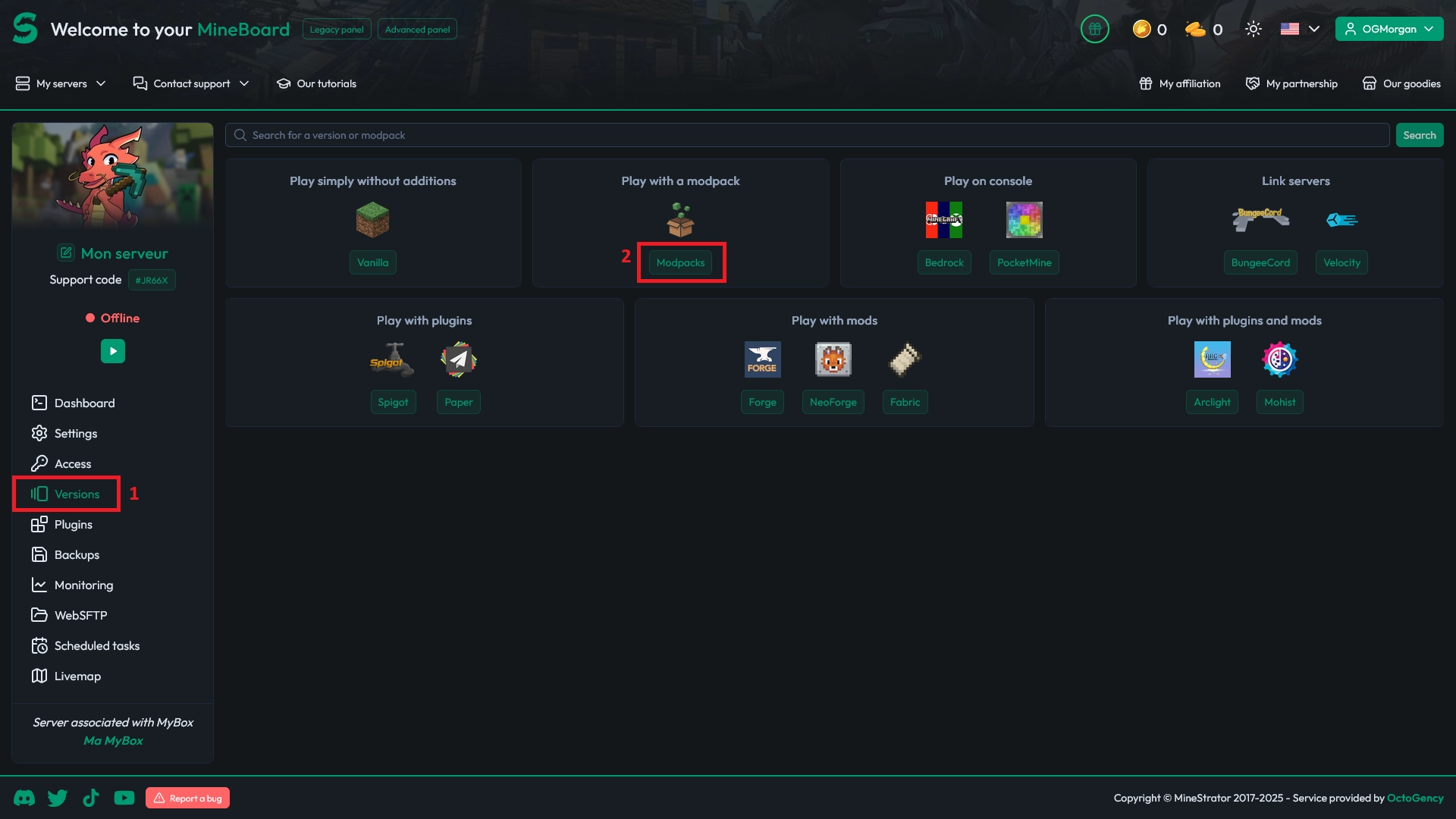
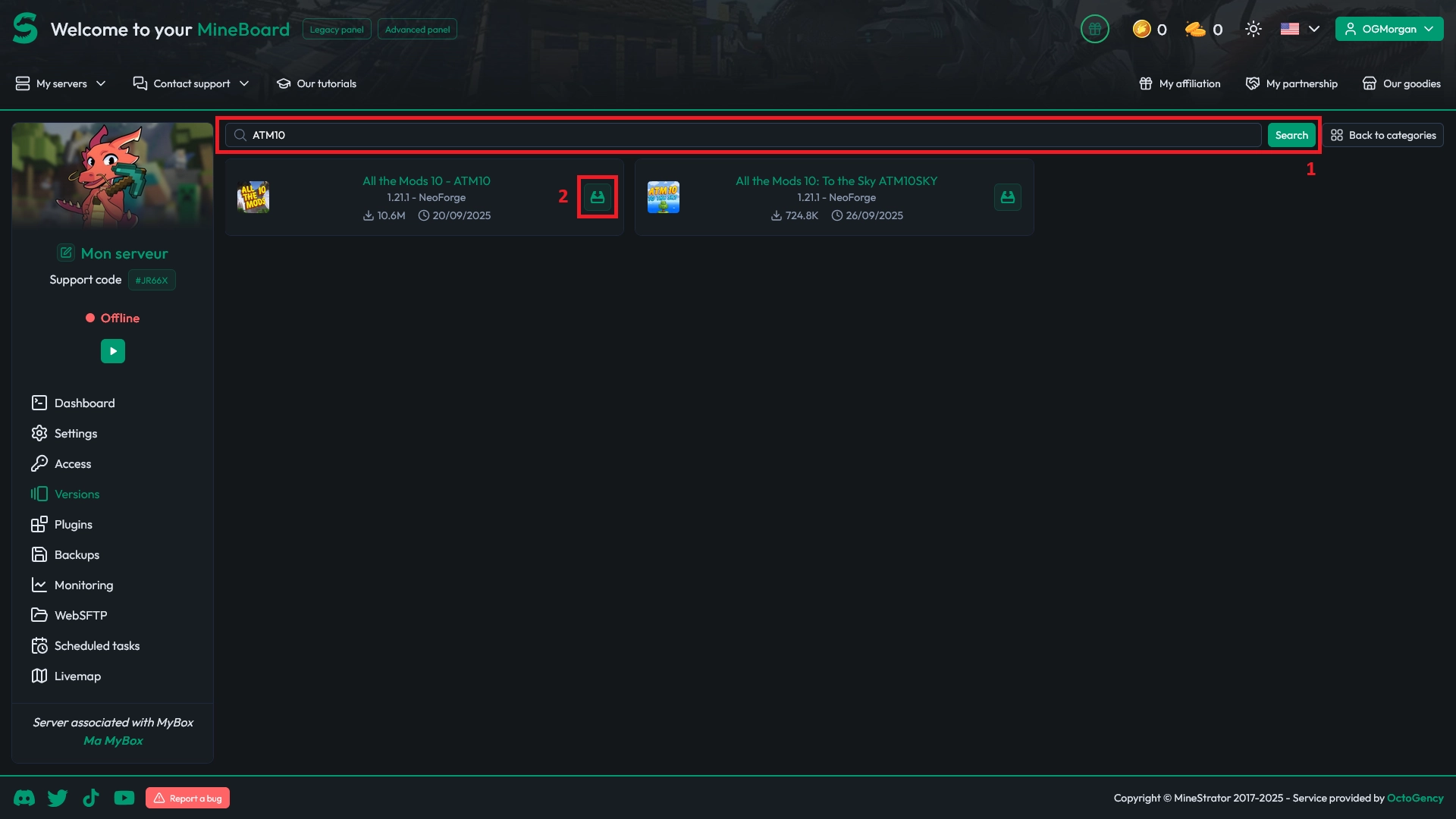
A few common modpacks are displayed but you can use the search bar (1) to browse available modpacks.
Once you've found the modpack you'd like to play with, click the Install (2) button.
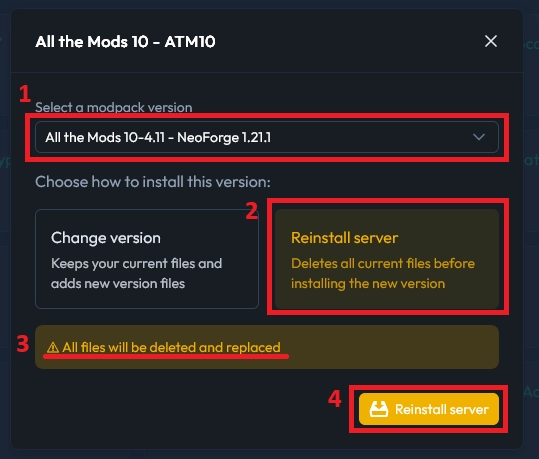
A pop-up window will invite you to choose a version (1) for the modpack. Finally, select Reinstall the version (2), this will delete all your files (3) to perform a clean install, then confirm your choice (4).
You'll be redirected to the Console tab from where you can monitor the installation process. Once it's done, you can start the server !

 26 September 2025
  Enjoy 10% off your first month of server with MineStrator using the code ACTU10!