




Want to connect your Minecraft server to a web shop, vote site, or remote admin tool? You’ll need an RCON connection. RCON lets external services send commands directly to your server in a secure way.
In this tutorial, you’ll learn two easy methods to enable RCON on your Minecraft server: directly from your MineStrator panel, or by editing the server.properties file. We’ll finish by testing the RCON connection to make sure everything works.
Enable RCON from the MineStrator panel
The easiest way to set up your Minecraft RCON connection is directly from your server panel. This avoids editing files manually and keeps everything in one place.
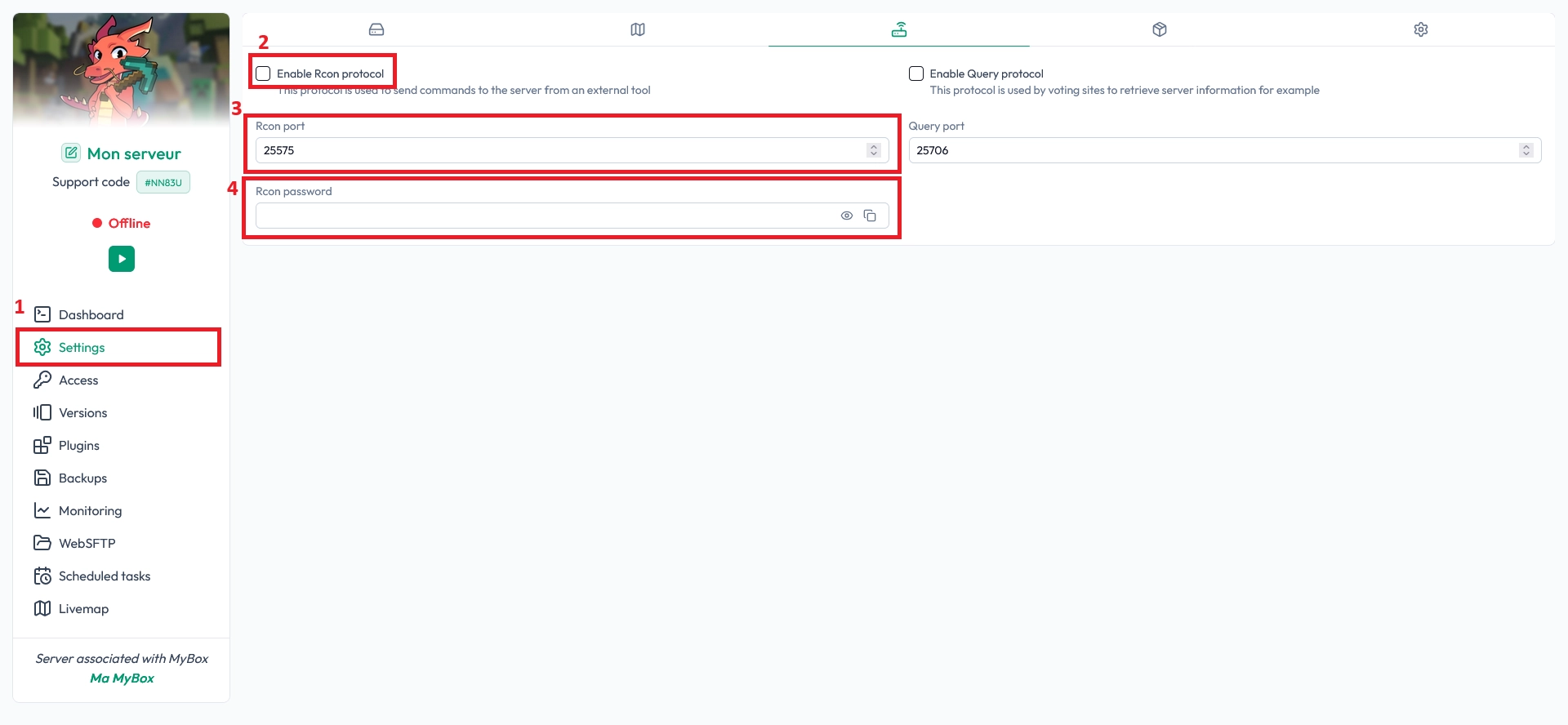
On your server panel, go to the Settings section, then open the Protocol Settings tab. This is where you can enable or disable different network protocols for your Minecraft server.
In this tab, check the option to Enable the RCON protocol. Then, enter the RCON port and set a password. The port you must use is one of your dedicated ports, available in the Access tab of your panel.
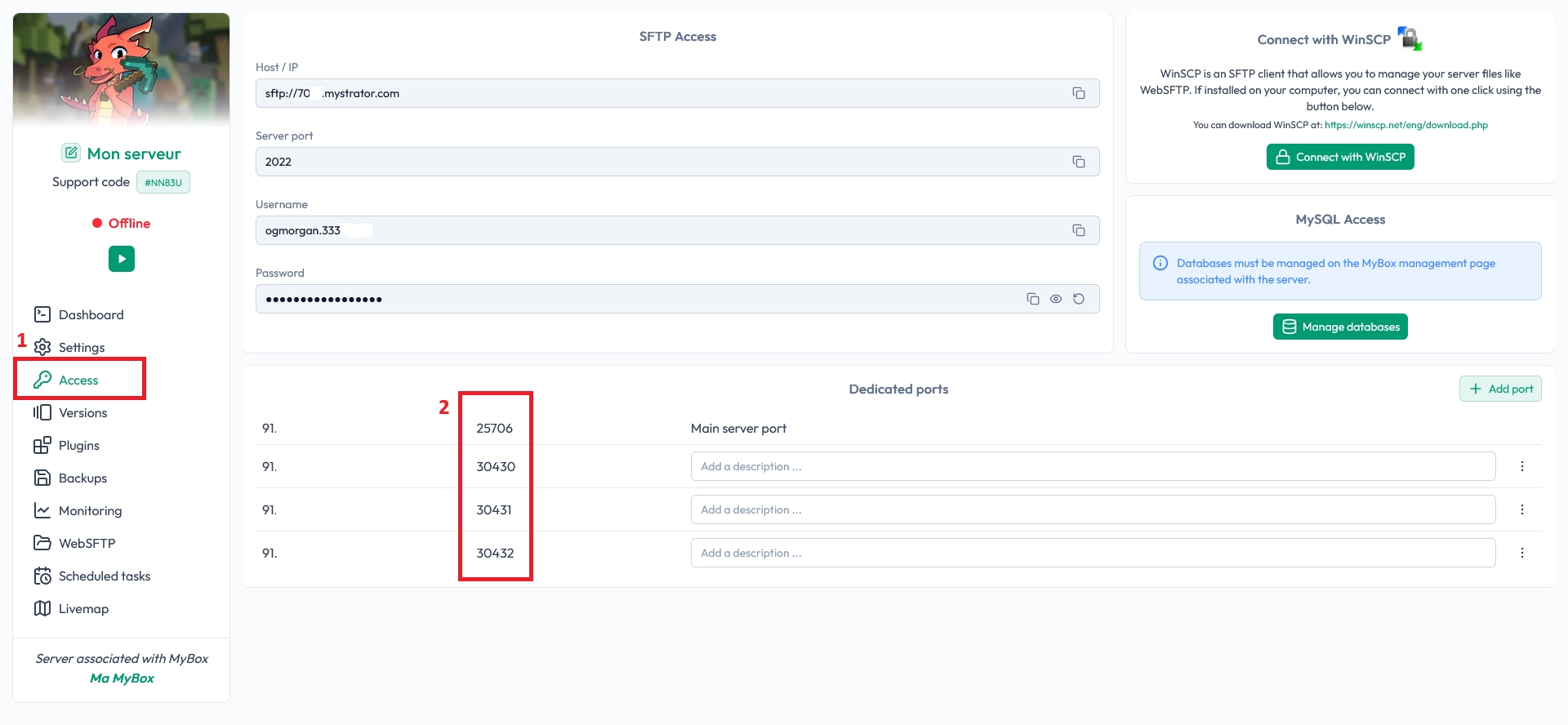
Each server can use different dedicated ports. You can add a description to each port in the Access tab to remember which ones are already used (for example: “RCON”, “Dynmap”, “BungeeCord”). This helps you avoid conflicts between services.
🚨 Important: Never reuse the same port for two different services, and never share your RCON password publicly.
Enable RCON via server.properties
If you prefer manual configuration, you can also enable your Minecraft RCON connection by editing the server.properties file. This gives you full control over the server settings.
You can access server.properties using the Files tab.
In the Visual Builder mode, enable the RCON :
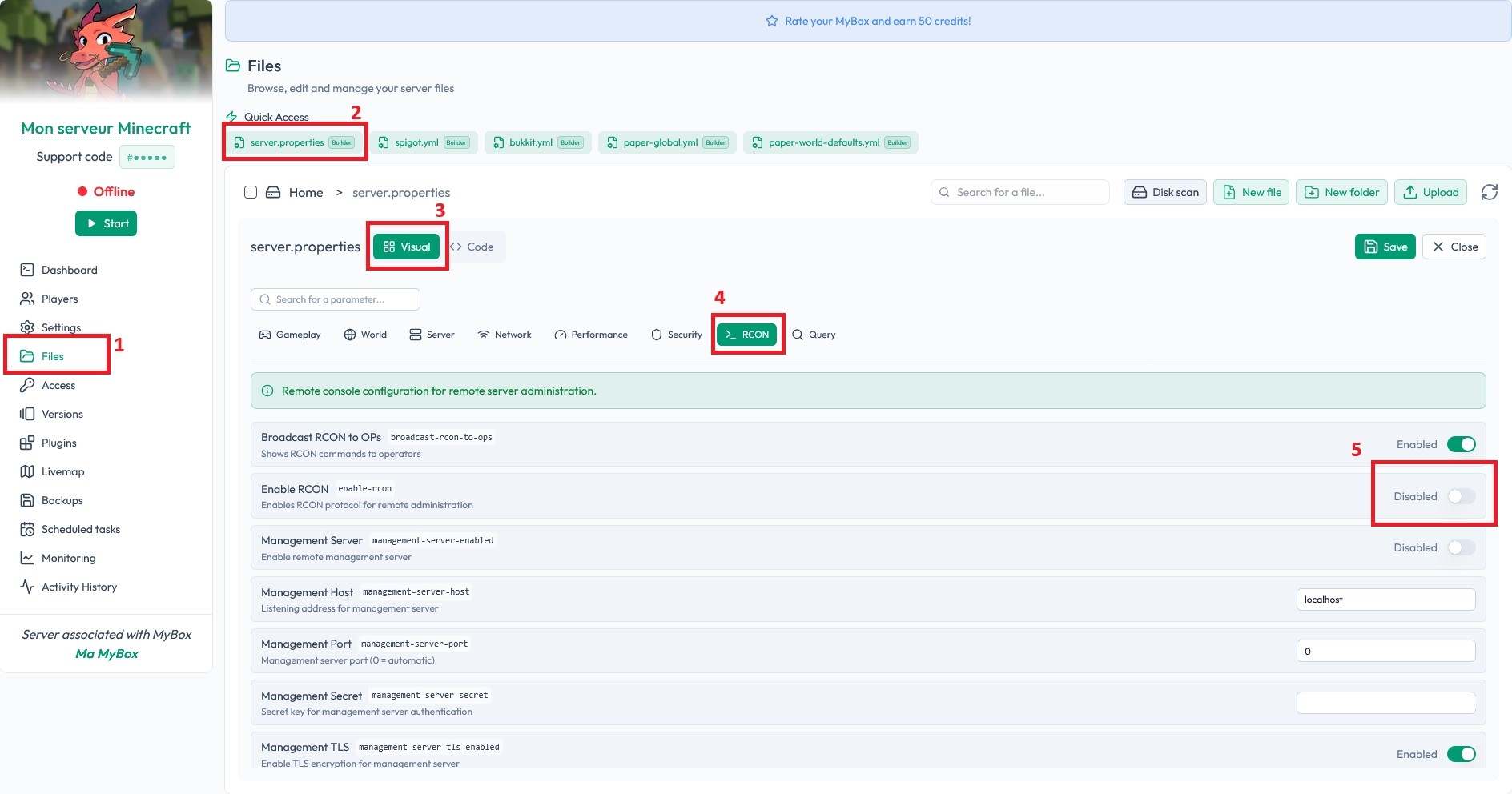
Then scroll down to change the password and port :

In the classic text mode :
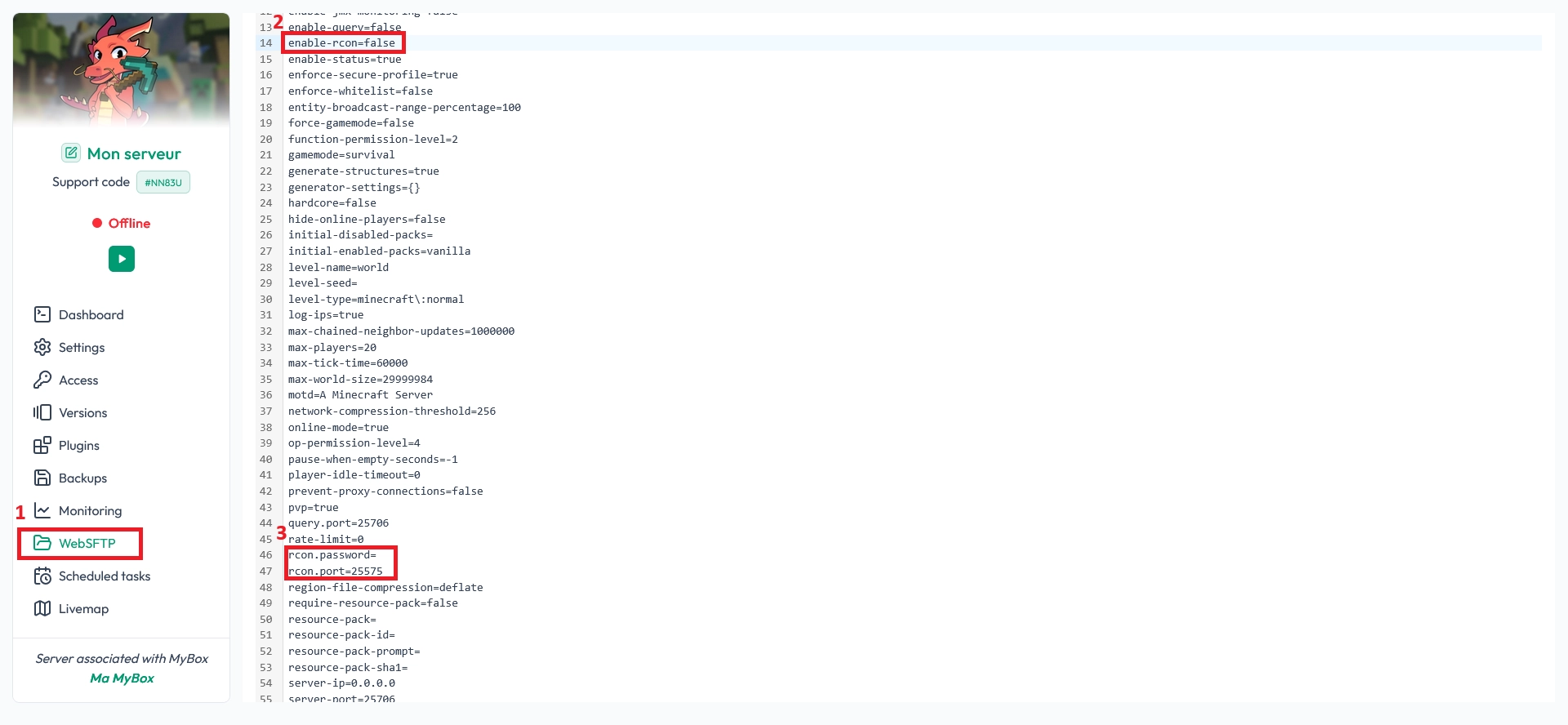
Once the file is open, find the line enable-rcon= and set it to true to activate RCON on your Minecraft server. This tells the server to listen for RCON connections when it starts.
Next, locate the line rcon.port= and set it to one of your dedicated ports. You can see the list of dedicated ports in the Access tab of your panel (as shown in the previous image). Again, each server can use different ports, and adding descriptions helps you track which ones are already in use.
Finally, edit the line rcon.password= and choose a strong password. Use a mix of letters, numbers, and symbols to keep your RCON access secure.
⚠️ Warning: A weak RCON password can let someone run any command on your server. Treat it like an admin password.
When you’re done, save the server.properties file and restart your server from the panel. In the console logs, you should see that RCON has been enabled without errors.
Test your Minecraft RCON connection
Once RCON is enabled, it’s time to check that everything works correctly. Testing your Minecraft RCON connection ensures your port and password are valid before you connect external tools.
To test the connection, go to this page: online RCON test for Minecraft. Enter your server IP, the RCON port you configured, and the RCON password. If the connection succeeds, you’re good to go.
💡 Tip: If the test fails, double-check the port in the Access tab, your password in
server.propertiesor the panel, and make sure the server is running.
FAQ about Minecraft RCON setup
Where do I find my dedicated RCON port?
You can find all your dedicated ports in the Access tab of your MineStrator panel. Choose one that is not already used by another service, then set it as your rcon.port in the panel or in server.properties.
Do I need to restart the server after enabling RCON?
Yes. Any change to server.properties or to the protocol settings requires a full server restart. Without a restart, your Minecraft RCON connection will not be activated.
Is RCON safe to use on my server?
RCON is safe as long as you use a strong password and keep it private. Avoid sharing it with regular players and only provide it to trusted tools or staff members who really need remote access.
Conclusion
You now know how to enable and test a Minecraft RCON connection, either from the MineStrator panel or by editing server.properties. With RCON active, you can connect your server to web shops, vote systems, and advanced remote admin tools.
Don’t have a server yet, or want to test this without risk? Try a MineStrator Minecraft server free for 12 hours, no credit card required, and start experimenting with RCON in minutes.

 17 December 2025
  Enjoy 10% off your first month of server with MineStrator using the code ACTU10!